

No code. No setup. Just AI agents that work.
Build Professional AI Agents for Work Without Code
No-code AI agent builder
How to Build AI Agents to Get Work Done
Build unlimited AI agents with no code, no prompt engineering, and no logic to configure, ready in one click.
Collaborative AI agents
Get AI Agents that Interact With Your Team
Agents live in group chats with your team, working together with messages, calls, files, and to-dos.

Integrations for AI agents
Connect the Tools You Use Every Day
Connect all your business tools and work across them.
Automate workflows with AI agents
Agentic AI Workflows for Critical Processes
AI agents build any workflow you can imagine, instantly.
-
 Act
Act
-
 Automate
-
 Flag
Flag
-
 Coordinate
-
 Summarize
-
 Learn
Learn

AI Agents Workflow Templates Library
Browse workflows built around the most common use cases.
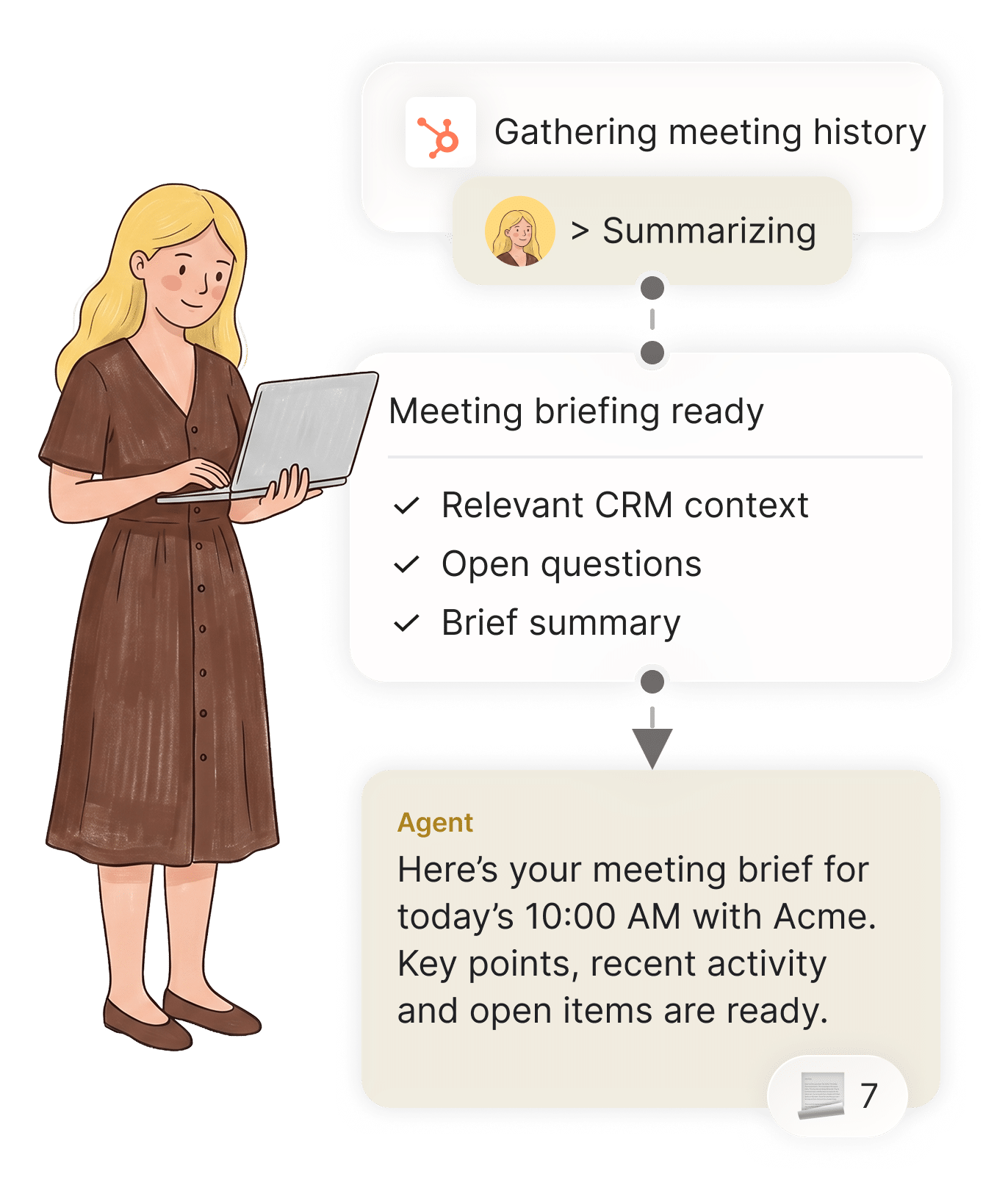
10 minutes before every meeting, summarize everything you need to know for the meeting.


An issue is reported with details and a photo. The agent is notified automatically, then creates a task in the right system, notifies the right people, and follows up until it’s fixed.




The agent is alerted when a new hire is added to the HR platform, then automatically adds them to the right work tools and relevant group chats based on their team.


A new request comes in through the website. The agent is alerted automatically, researches the lead, qualifies it, and routes it to the right rep.


The agent checks for overdue invoices, sends reminders, follows up on payments, and updates the accounting platform once payment is received..


A job scope change is reported. The agent is alerted automatically, pulls the relevant pricing, generates the change order, and sends it for approval.


30 minutes into a shift, the agent checks who was scheduled, compares it with clock-ins, and flags anyone who hasn’t arrived.


The agent reviews the shift, summarizes what was completed and what’s still open, and follows up on anything left unresolved.

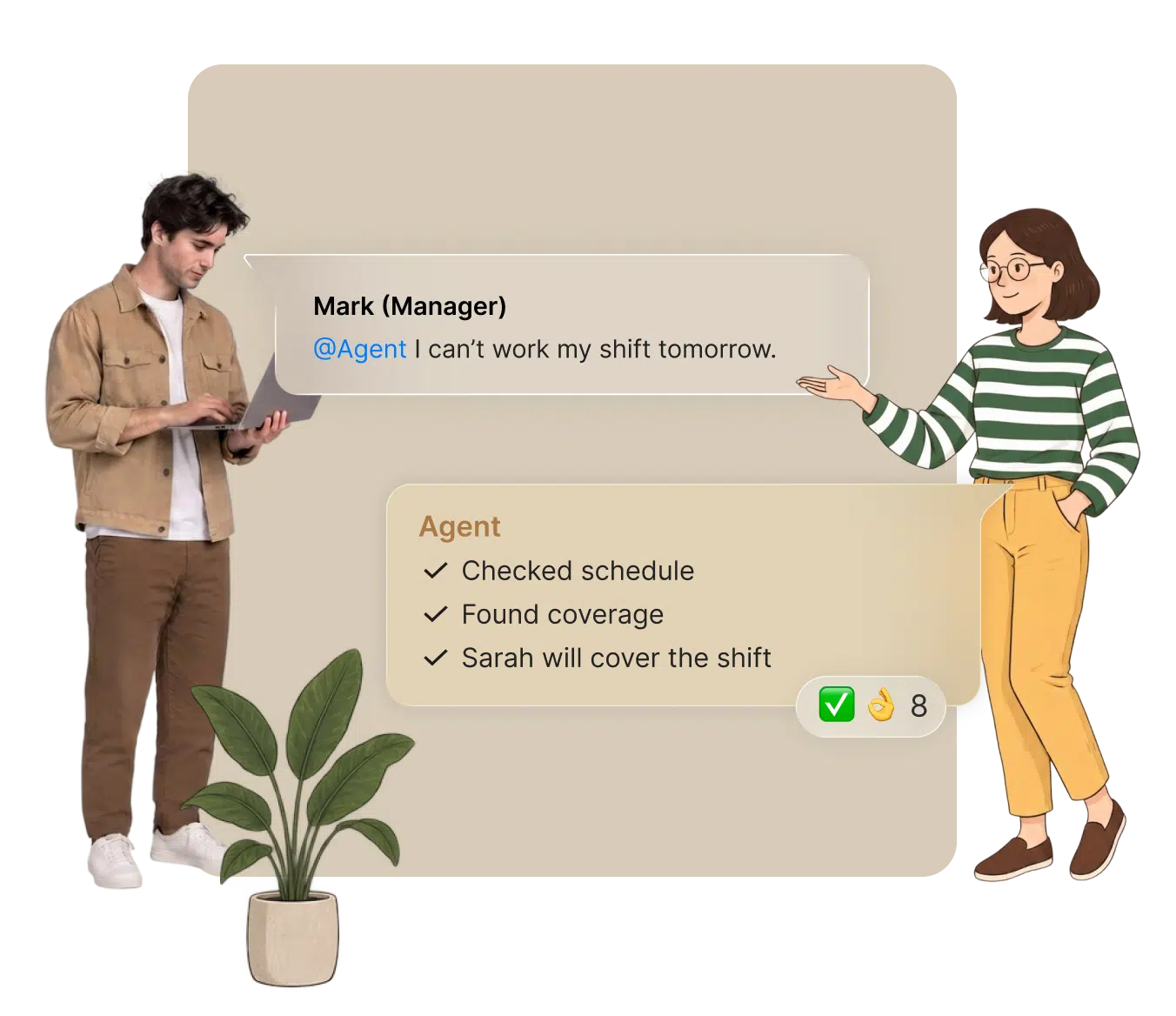
An employee sends a message that they can’t make their shift. The agent is alerted, finds who’s available, confirms the replacement and updates the schedule.

A deal closes in the CRM. The sales agent flags it with all the details in the group chat. The finance agent picks it up, drafts a matching invoice in the accounting system, and sends it for approval.

Meeting Prep
10 minutes before every meeting, summarize everything you need to know for the meeting.
Maintenance Requests
An issue is reported with details and a photo. The agent is notified automatically, then creates a task in the right system, notifies the right people, and follows up until it’s fixed.
New Employee Onboarding
The agent is alerted when a new hire is added to the HR platform, then automatically adds them to the right work tools and relevant group chats based on their team.
Lead Qualification & Routing
A new request comes in through the website. The agent is alerted automatically, researches the lead, qualifies it, and routes it to the right rep.
Invoice Follow-up
The agent checks for overdue invoices, sends reminders, follows up on payments, and updates the accounting platform once payment is received..
Job Scope Change Updates
A job scope change is reported. The agent is alerted automatically, pulls the relevant pricing, generates the change order, and sends it for approval.
Attendance Check
30 minutes into a shift, the agent checks who was scheduled, compares it with clock-ins, and flags anyone who hasn’t arrived.
Shift Handover
The agent reviews the shift, summarizes what was completed and what’s still open, and follows up on anything left unresolved.
Schedule Swap
An employee sends a message that they can’t make their shift. The agent is alerted, finds who’s available, confirms the replacement and updates the schedule.
Closed Deals
A deal closes in the CRM. The sales agent flags it with all the details in the group chat. The finance agent picks it up, drafts a matching invoice in the accounting system, and sends it for approval.
Unlimited AI Agents
Build as many AI agents as you need, each with its own job, for multi agent workflows that work together.

AI agent access controls
Human-in-the-Loop Guardrails
You decide who can access what.


AI agents for business
Enterprise-Grade Security
Fully compliant and secure AI agents. From permissions to data handling to compliance, every layer meets the highest standards.

Get Your First AI Agent
in 90 Seconds
Frequently Asked Questions
Zenzap AI agents connect to your business tools and take real action, not just answer questions. Give a Zenzap AI agent a job in plain language, connect it to a tool, and it takes action, updates records, sends reports, or flags issues, on request or through an automated workflow.
You don’t need coding experience to use AI agents in Zenzap. You can create a Zenzap AI agent in one click, with no code and no prompt engineering, and give it instructions in plain language, the way you’d talk to a coworker.
AI agents in Zenzap are secure and private. Zenzap AI agents never hold your credentials directly, every action runs through a secure, permissioned connection to each tool. Your data stays owned by you and is never used to train AI models.
Using a Zenzap AI agent is different from using ChatGPT or Claude directly because Zenzap AI agents take action and work with your whole team, while ChatGPT and Claude only answer questions privately to one person. A Zenzap AI agent takes action directly inside your business tools and works in a group chat everyone can see, correct, and build on.
The main risks of using AI agents are unauthorized actions and exposed credentials, and Zenzap handles both directly. Zenzap AI agents never hold credentials, and you can require approval before an agent acts, restrict it to read-only, or block it from a tool entirely.
You can share a Zenzap AI agent with other people by adding it to a group chat. Once it’s added, everyone in that chat can talk to the agent, correct it, and build on what it finds.
You can build any kind of AI workflow with Zenzap AI agents. Zenzap AI agents can automate any process you can imagine, across any tool you use, reporting, monitoring, follow-ups, or anything else that repeats.
Yes, Zenzap is an AI agent platform for business. One person can create and use a Zenzap AI agent alone, or add it to a group chat so the whole team can see and use it too.
AI agent memory means an agent remembers past messages, decisions, and actions instead of starting fresh each time. In Zenzap, memory stays scoped per chat, so context from one chat never leaks into another.
Yes, multiple AI agents can work together in Zenzap through multi-agent group chats. AI agents coordinate with each other and with your team to work together.
Guardrails are the limits you set on what an AI agent can do. In Zenzap, you can require approval before an agent acts, restrict it to read-only, or block it from a tool entirely.