

Workflow library
Workflows to
Workflows to
Get More Done
Featured Workflows
Invoice Follow-Up

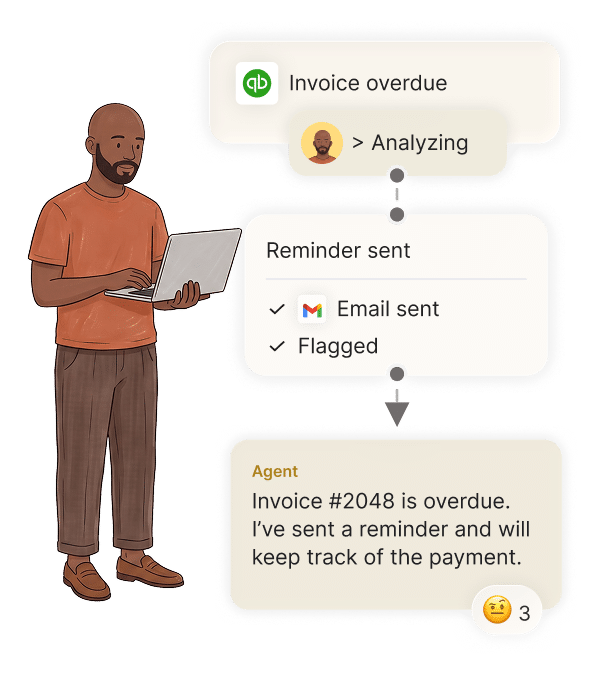
The agent checks for overdue invoices, sends reminders, follows up on payments, and updates the accounting platform once payment is received.
Meeting Prep


10 minutes before every meeting, summarize everything you need to know for the meeting.

Maintenance Requests


An issue is reported with details and a photo. The agent is notified automatically, then creates a task in the right system, notifies the right people, and follows up until it’s fixed.

New Employee Onboarding



The agent is alerted when a new hire is added to the HR platform, then automatically adds them to the right work tools and relevant group chats based on their team.

Lead Qualification & Routing

A new request comes in through the website. The agent is alerted automatically, researches the lead, qualifies it, and routes it to the right rep.

Job Scope Change Updates


A job scope change is reported. The agent is alerted automatically, pulls the relevant pricing, generates the change order, and sends it for approval.

Attendance Check


30 minutes into a shift, the agent checks who was scheduled, compares it with clock-ins, and flags anyone who hasn’t arrived.

Shift Handover


The agent reviews the shift, summarizes what was completed and what’s still open, and follows up on anything left unresolved.

Schedule Swap
An employee sends a message that they can’t make their shift. The agent is alerted, finds who’s available, confirms the replacement and updates the schedule.

Closed Deals
A deal closes in the CRM. The sales agent flags it with all the details in the group chat. The finance agent picks it up, drafts a matching invoice in the accounting system, and sends it for approval.

Example Workflows
Explore suggested workflows or build your own.
No workflows found.